Sunday, February 25, 2007

And this makes three

Third post in two days! What's all this? Well, this is a predominantly graphical post to show another series of pictures.

That recorder module is fun, but I am still not "cutting it", as they say. I can get aeroplanes in the same "lump of sky", but true formation is still eluding me. Personally I'd be the bad workman and blame my tools... I "need" a wraparound six axis full motion simulator so that I can really "feel" where I am in this simulated 3D world.

But I managed a reasonably close straight and level with nine BAe Hawks today. I set up one plane straight and level, locked in the autopilot for heading and altitude hold, let the plane settle with the throttle at the top detente (Saitek X52, you can feel an interim "3/4 throttle" position) and then saved the flight.

Using the recorder module I now let the plane fly on for six minutes. Right, I now have six minutes of steady straight and level flight to work with - should be a piece of wee wee to set up a sequence, no?

No!

Even starting the module on record with traffic and the two planes overlapping, you very soon end up drifting up or down or off the track.

More practice is needed - and next time I'll do it without FSUIPC and turbulence :) :)

And then there is a spate of entries

Well, a second one in just a few days that is :)

First of all: big surprise, my blog is read! I just noticed a comment and I also checked the stats counter...

But most important entry in the blog today is:

I HAVE FOUND THAT ELUSIVE YETI!!!


I can't remember exactly when I installed the Lukla scenery, but I have been up Kali Himal so many times I just can't remember. Today I thought I'd have another atempt and lo and behold, I departed Lukla in my EC 120, looped round to the south, headed east and then north. Flew past Kali Himal and did a right turn up a likely looking approach for the mountaineers and there he (?) was, right out in the open...


Saturday, February 24, 2007

Where has it all gone? Time that is...

First blog this year - and the years nearly over already! It's been a funny old start to the year, has this one. Job worries, health worries, various mid lifers - you might know the sort of things. You know, the ones where the only answer is "Sh*t happens".

And it certainly has for me... Car crash too.

Although one of the "events" must have been a bird of paradise one...

Because despite an adverse start to the year, I am now getting a fresh start in a fresh new permanent job and even if this is a very positive move, it does mean a lot of extra work with all that house hunting and packing of boxes. Ah well. New job, new town, new friends...

Anyway, this is just a short post to let anyone who does read my musings know I am still alive.

Friday, January 12, 2007

Of Specs, Bumps and Other Practical Things

On the principle that a day without learning something new is a day wasted, I guess I am now entitled to "Prof. Emeritus", because I have been learning like Billy-O. FSX has done some interesting new things for us painters, and not all of them nice. A texture set for an aircraft now has up to four sheets. OK, the emissive map we don't need to touch (those are the "night textures"), but now we have specular lighting and bump mapping to play with.

"Ah well," the pundits might say, "you don't need to create a new bump map or specular when you repaint a model." and this is generally true - if the people who made the plane also made a sensible bump and spec set.

So what, in simple terms, is a "Spec" and a "Bump"

Let's start with "specular" and say a prayer of thanks to Wikipedia, because the answer is pretty easy:
Specular reflection is the perfect, mirror-like reflection of light (or sometimes other kinds of wave from a surface, in which light from a single incoming direction is reflected into a single outgoing direction. Such behaviour is described by the law of reflection, which states that the direction of outgoing reflected light and the direction of incoming light make the same angle with respect to the surface normal; this is commonly stated as θi = θr.
So... is that all clear now? No? I thought not. Nor for me. Oh the quote makes sense enough, but what does the specular image do in FSX? Why do Microsoft's default aircraft have such funny hued images as their "Specs"?

Let me see now, metal reflects differently to plastic or glass or a silvered mirror... OK... and a red surface reflects differently to a green surface... Riiigggghhhht... (google gooogle goooogle...) I found one interesting reference somewhere, where the author wrote something like "I have found the best specular for me is a 180 shift..."

...and it was that "180 shift" that finally got me going in the right direction. Whoever it was, he (or she) was talking about degrees, and 180 means opposite - as in the opposite side of the colour wheel, as in colour wheel in your paint program. For those fashion conscious among you - think "complimentary colours". Look in your graphics program and you'll probably see a section where you can edit the colours, and one of the options there will show a circle with options to pick out different kinds of complimentary or opposite colours.

Anyway - I don't want to make this too long. Just suffice to say that the specular component of a texture set defines how the model shines. A polished paint surface will reflect white light as white light, so your specular needs to be "180 shifted". A slightly matt (satin finish, for instance) surface will add its base colour to the reflected light. So here you'd need to tone your spec image differently.

So for shiny airplanes, all you need to do is to flatten your image and then shift the colours by 180 degrees.

That, in essence, is what it's all about - finding the right section of the colour circle and shifting your specular image to suit. There is more - brightness for one thing. A spec image also carries an alpha component, which is not like the alpha we know from FS9. No, in FS9 the dark part of the alpha means more reflectivity. It's the other way round in FSX for the specular. A darker alpha for the spec map will make the reflection less harsh and a lighter one... well, let's put it this way - if you have too harsh an alpha for your specular, you'll end up seeing all the polygons on your model.

Lord, so many words already and I still haven't gotten anywhere. My suggestion is to read the SDK and try to remember. Here's what I have written on a note pad on my desk:

Specular - a two part image (base plus alpha). Shift the base colour by 180 for reflected light. Make the alpha channel grey scale. Experiment with different values of light and dark until you find some you are happy with. My values - 180 clour shift, 35 - 50% lighter for the colour image, save copy as-is but grey scale and use as alpha

Bump map - "flatten" a copy of the texture sheet (remove things like text, logos, emblems and other parts of the skin that don't usually have depth). Go to your "effects" section and choose the "Emboss" effect. Not too high. Select target colour to "greyscale" - that way the height map separates out into thre channels - RGB. MS have declared that the red channel is used for the alpha, so click off the blue and green channels and make the red into an alpha channel (grey). Back to the RGB channels and flood fill RED with black colour. Then flood fill the BLUE with white. Switch on all channels again and you are left with a blue toned image, just like the microsoft bump maps.

Tuesday, December 26, 2006

It's that time of year again...

Well, actually, it's over at last, and the days are already getting longer. Won't be long now and we'll be looking at Easter Bunnies on the supermarket shelves.

I hope you all had a pleasant Christmas. Did you remember the Christmas Spirit? Or was it just the Christmas spirit?

Hasn't tempus fugitted this year? It seems like ages since I last had anything to blog about. Not to worry, the Dornier has taken up a lot of my free painting time and of the rest of my available hours, my day job has been responsible for hacking those away.

In the meantime, FSX has come and (in a few cases) gone from our PCs. Some folk are dismayed at its (lack of) performance, others are pragmatic enough to realise that it's been designed to have breathing space for the next few generations of PC growth. I have been playing with this tenth generation of FS and fortunately have a computer that can handle the load reasonably well, although I still have to adjust my settings before each flight.

I've also been invited to do some beta testing, so now I have a mission as well as a cause. And I have also been asked to do a commercial paintkit for someone in the new year, so my card is relatively full for a while.

What really has pleased me has been a plethora of new goodies for FSX - just in time for a Christmas CC bashing session. There's been the Tiger Moth (a little disappointing but not a total waste of money), Some new sceneries and - much better - some excellent freeware released. Although I've only had her on my PC for a few hours so far, Rick Piper's Chipmunk for FSX has already won her place in my heart for FSX. Even as installed (she's still a work-in-progress) the Chippie is a delight. The only mistake I made with my first flight was to set up weather in FSX and not spot an errant zero in the windspeeds settings...

...I had 10 (ten) knot winds gusting 150!!!!!! And bear in mind that I also use FSUIPC and have effects such as turbulence activated. Man, can you imagine the bumpy ride I was getting?

Anyway, here's a couple of images to show what I am up to these days. There's more on my photobucket link. Have a happy New Year's Eve and remember - it's not much longer till Burns' Night!


"Beavering towards Sitka" in somewhat minimal conditions - FSX


"Chippie over London" using the real weather as provided by ActiveSky for FSX


Flying Chuck Lischer's F260 over Oshkosh in FSX


Chippying over High Wycombe... ATC has just told me that Booker is IFR, but I'm still going in!


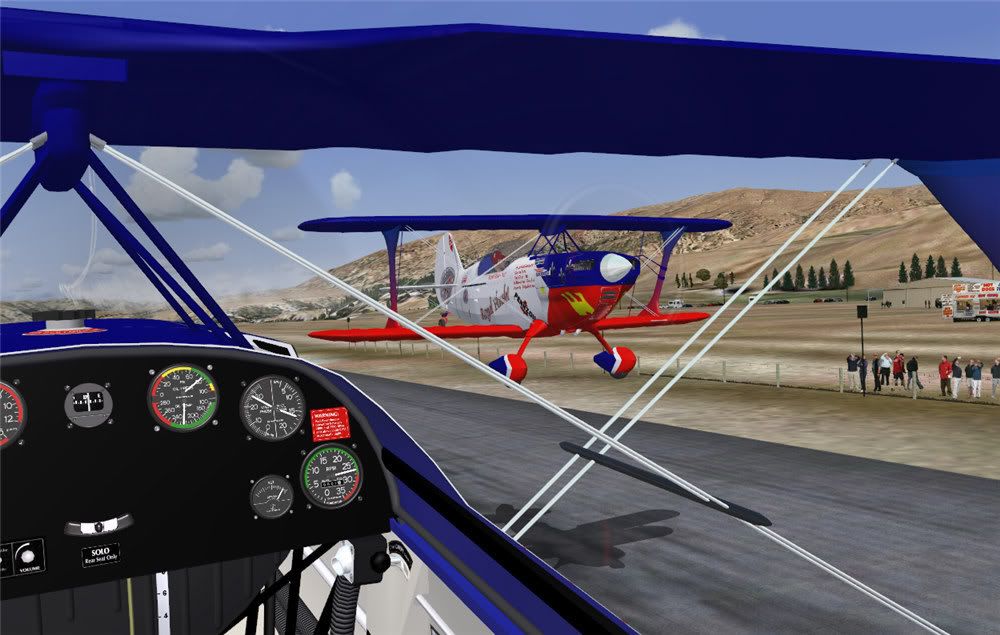
"Vingt et Un" pair doing a very close pass at Wanaka.

Sunday, December 03, 2006

Been Away for some time....

Ah well, we all need a day job so that we can pay for our hobbies. It has been a wee bit busy at work of late, so I haven't had much time in the way of feeding the blog.

Another thing keeping me busy these days is the Dornier DO27. 'Tis a wonderful plane, with an excellent paintkit, but the more you delve, the more you find inconsistencies with the scaling and aligning of the various parts of the model. If you pay a visit to my Photobucket album, you can browse to the various albums to see what I am up to.

Thing is, when you get down to the detail, you find you need things like a detail grid so that you can locate and line up details on the textures. I do this with a simple scaled and multi-coloured grid - here you can see a couple of examples. Try it yourselves sometimes...


Recorder Module and Smoke

Bazzam posted a comment recently - er well, some while ago - and asked about smoke in the recorder module.

You can show smoke and record smoke in the recorder - there's an option in the setup of "recorder" to record smoke.

Friday, October 20, 2006

Let's do a DO?

One of my most recent acquisitions has been the Digital Aviation Dornier DO27 and i must say, this plane has one of the best paint kits around. OK, I can nit-pick about a few very minor inconsistencies, but all in all, this is one pretty plane - whether you fly her in "ugly" mode or in a prettified paint.

My first re-skin was - foolishly enough - a zebra-striped one; D-EDDY. I was approached by the guys over at Digital Aviation and given a nudge: "Perhaps I'd care to do this skin?" Ah well, I'm game for a laugh and I went and did it. Bl**dy Nora! What a lot of aligning work that needed! Anyway, the results let themselves be seen, so here you can see a few tasters.


After this one, I went for something a little easier: a Swiss registered Dornier in yellow. Hah! Little did I know! First of all I got digs about the tone of yellow... "Perhaps you could make the yellow a touche more reddish and not so lemony?" And then: "Hey, you haven't painted the cowling in the VC view!" Ah well, we live and learn.


Next up on the drawing board - and still work in progress - is a Portuguese Air Force "27". I saw this one on airliners.net and liked the look of the squadron crest. I couldn't read the motto underneath the shield, but a fellow forum member told me. "Lealdad e Perseveranca" - with a cedilla.

Thing is, the crest is not well shown anywhere on the net, so I got out my Corel Draw first and created a vector graphic crest and a Portuguese cross. Also while in paint, I made some jacking and tie-down point symbols. _It may seem like a lot of work for something that is almost invisible on the FS9 plane, but knowing the detail is there means a lot to me.

Anyway, you have a look and see what you think. I shan't be doing any more until Sunday - tomorrow is the Aerosoft Flight Simulator show in Paderborn, and as it's a three and a half hout drive, I guess I could be up early. I need some beauty sleep!

Sunday, October 08, 2006

Let's talk dirty...


No, you fools! Dirt on aircraft paints!

So far most of my painting has been along the lines of "It's just come out of the spray shop, so it should look clean. But of course, planes wear... after a few landings on a grass strip you have things like mud splatters along the underside. Eventually panels chafe and you get that typical black gunge where metal has rubbed agains metal. If the aircraft stands outside in the rain for a while, the pollutants in the atmosphere wash over the aircraft skin and leave dirty grey streaks...

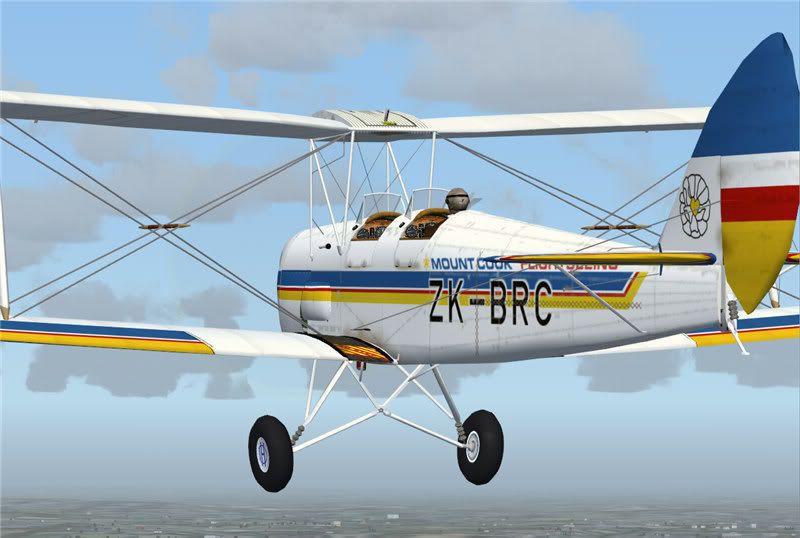
With that in mind, I have started "dirtying up" some of my planes. The first candidate is the Tiger Moth paint of the "Mount Cook Flightseeing" plane. I have a photo of the real world version, so I decided to "take a hint". Take a look and judge for yourselves.


Thursday, October 05, 2006

Tiger, tiger, burning bright, in the middle of the night...

..beware! You'll set the bush alight.

Well, I have been busy skinning tigers of late - a risky business at best of times, and certainly not something to do while they are still live!


OK, not tigers, but Tigers! DH 82 Tiger Moth, to be exact. I just got this urge to do a new series and stumbled across the Warwick Carter Tiger Moth again.


The paintkit is, well, not the best (shall we say) but it has one endearing feature, and that is each part of the plane has it's own skin texture. (Except for just a couple of very simple items which are mirrored - undercarriage legs for instance).


So far so good! I have managed a handful of skins in the clean and pristine versions; that is to say: "Fresh out of the spray shop". Thing is, these are all paints of real world planes, and some of the research photos i have show some very dirty Tigers. Next on my list of things to do then, is to make some dirt layers to "Sex them down" a bit (if I may deliberately misquote a reason for going to war...)


I also found yet another new toy! A neat little addin to Photobucket, where I hide a lot of my screenshots. It's a slideshow tool. If anyone does ever read this, here's the link: Photobucket Slideshow

Thursday, September 14, 2006

Multiple formation flying


If you read my recent post about "Flying with yourself" then you'll be aware of Matthias Neusinger's addin module for FS9.

Well, there's 1.3 version in beta and this modification allows multiple recordings of multiple flights.

If you really must know, this addin is payware standard. It takes a bit of getting used to, but once you do, it is possible to create some excellent multi-aircraft recordings and eventually some really fun flights. If you visit the simflight forum (link in the side-menu on the right) you'll see several sequences of what I (an amateur flyer) can do....

This really must be the most impressive addon for FS9 yet - and I hope Matthias does a version for FSX. Anyway, take a look at the pictures attached and see for yourselves. By the way, the multi coloured smoke schemes take a bit of thought, and I won't tell - except to my future multiplayer team members ;)


Tuesday, September 12, 2006

Have you ever flown formation?

With yourself?


I have recently been pointed at a module that you can add to FS9 and record a flight. Once recorded, you can load up another plane, start the playback and fly with yourself.

Go here to see more about this recorder module

This is immense fun! I had a sleepless night (again) so I went flying - with myself. And discovered that I can do it! I don't know how many times I have watched the short sequence and flown chase or opposites. But if you go the the Emma Field Flying Club Forum, you will see a lot more shots.

Enjoy!


Doing a 720° roll while climbing behind myself


Me and myself doing a half loop with roll out


Monday, September 11, 2006

Something new every day!

I have discovered a new bitmap in the FS9 folders - it's called envmap.bmp. Well, it's not new, it's been there all the time, but what I have learnt is that this image is what governs the reflections on shiny surfaces on your planes.

More to the point, you can use different envmap.bmp images to suit your individual flight - although you have to stop and restart FS9 every time you want a different reflection.

So what is this image?

Well, the basic one with FS9 is a stylised landscape texture bitmap 256 pixels square. The lower half is ground and the upper part sky. I have been playing around with freely available ones that can be found on the net and also with some I made myself. It seems you can also use a photograph. The thing to remember is that if you're flying under a cloudy grey sky, you aren't likely to get blue sky reflections or if you're flying over a city, then snow capped mountains are out.

A pity there isn't some detection utility that changes the envmap to suit the environment. You could have a whole library of useable envmaps and have the reflections change according to where you are. Anyway, here's a couple of screenshots - you judge. And if you look closely, you might even recognise the chase plane from which the photos were taken...

Here's one using a summery alpine photo for the envmap:


Here's the "Hawke's Bay Helicopter Rescue Service" Piper Cheyenne over a summery New Zealand - see if you can spot the camera plane.


Here's Dan Knutti's Cheyenne over a sunny, wintry alps - spot the cam-plane again

Friday, September 08, 2006

Sushi Time

Well, I am back from a trip to the Emerald Isle - been a busy week and now I have to reload various drivers (MoBo and GraphCard and whatever) because I have discovered strange "effects" in FS9 - the scenery and/or the models suddenly break up and look like shattered glass.

Anyway, just thought I do a quick addition or two to the side bars - I've added "Helifreak's Autorotation" blog. As a 'Rotorhead' myself, I can't resist all things helicopter - I have plenty of real world "passenger - you have" hours - about 400+ actually flying and even some hovering. So I can only endorse Helifreak's blog in the highest tones. There just aren't that many "good" flightsim helicopters around.

My favourite helicopter for the sim has got to be Peter Salzberger's Lama (http://fsheli.ch/) - it's a really good helicopter and the only thing really missing is that "butt feeling". Of course, there are other good helicopters around - in fact anything with "Nemeth" on the box is a pretty well modelled chopper too, and there's a few good air files around that have been improved by various users over the years.

A good example is Nemeth's AS 350. There's plenty of work in progress and a passable version is in progress for the "B3" version of the Ecureul (squirrel) so that you can actually land on the top of Everest.

Also added this evening is a link to Aerosoft's blog - here the developers will get a chance to "come out" and tell us what they really think.

Anyway - time to go and unpack a suitcase - or just go to bed?

Tuesday, September 05, 2006

Another day, another post - but I am away again. To the Emerald Isle.

Tonight's sim-session made a change - I finally corrected the butt end of the Cheyenne and then decided to try some multiplayer flying up in Alaska, By the end of the evening there were five of us on line - at one time all in helicopters. It was a nice relaxing bimble around the locale. We didn'#t go anywhere... just a spot of local "fling winging" around the Sitka area.

A pleasant evening was had by all.


Oh, and I als odid some sky dancing in the Eagle...


There's more on simflight / emma field - here's a successful first half of a "Cuban Eight"


Well now... two posts in almost as many days. There was nothing particularly interesting on the box today and I was just munching a piece oc chocolate when I thought to myself "Hmm - haven't I seen that on a real world plane somewhere?"

Power up the PC - swift search of airliners.net - AH!

Well, the results can let themselves be seen - I hope. Anyway - published a few shots on Simflight and had supper.

Later... Still nothing wildly exciting on TV, so i went flying some more and then back to the forums to see if there was anything to read. After a few minutes of browsing, I re-discovered Simon Stansfields "Emma Field" shop. AH another idea snuck itself into my brain. OK, open of Corel Photopaint again and let's see what this one looks like. Fictional this time, but still interesting.

For those who are interested, go visit the simflight forums (there's a link on the right. The Chocy bar screenies are in the "Screenshots" forum and the "EFC" paint is in the "Emma Field Flying Club" one.

Oh, and lest I forget, the JU 52 is not new to me - I did a skin for a guy down under a couple of weeks ago - he was after a specific skin to suit his little business there - he's a scenery designer. The result can be see below.

Flying over St. Maarten in the FSX Demo


Sunday, September 03, 2006


So what to do on a rainy, well grey anyway, Sunday afternoon? i sat down and built a campaign bus for Emma Field. There's this sweet little Dornier 27 available as freeware on Avsim, so I gave it a try. I can't say I liked the thickness of the panel lines on this model - they wereup to 3 pixels wide and more round the doors.

Yuck!

Anyway - I re-drew them suitable for a freshly painted machine and have kept these new panel and rivet lines safely saved in a separate file.

You can't be too safe! If you could see my hard disc, you'd be amazed at just how much space is being taken up by backups! Anyway, it's a pretty little plane for sport flying - a bit dated now (she is, after all, 50 years old now).

HAH! still younger than me!

Anyway, here's a couple of WiP (Work in Progress) shots to give you some idea of what this little bird is looking like even now.

Click on the images for a large view.

Enjoy!

Saturday, September 02, 2006

French cuisine and FS

The two don't just mix well. A week in France means a week away from flightsim and all that is involved. There has been a flurry of activity while I have been gone and I have not been able to do much. The big surprise, though, was the Cheyenne paint job - 370 plus downloads already. Must have been a popular buy - well done Digital Aviation and Aerosoft!

AviaSim.ch have requested permission to host the skin on their site for "local" use - so why not? Seems that a few Swiss simmers know the real thing - I only hope they don't look too close.

Also good for a laugh is the new scenery by Bill Dick and friends - it seems there really is a place on this planet called "Shit Creek" - and it even has a "Paddle Shop". Weird!